


How to Use Simrad® Multifunction Displays
The information provided is for general informational purposes only. This information is based on the author’s personal experience and does not constitute financial or legal advice. You should consult with a professional and/or conduct your own independent research to verify any information in this post prior to making a financial decision or otherwise.
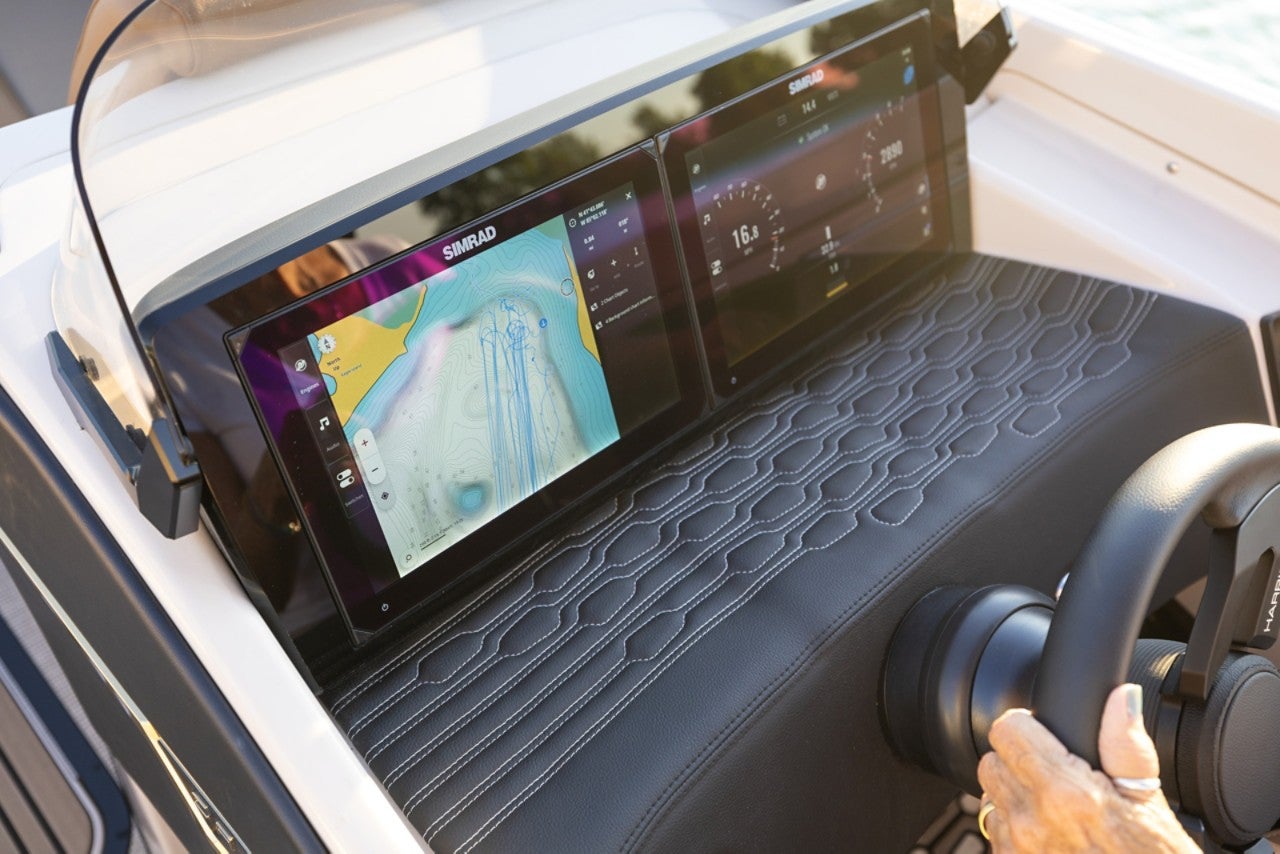
One of the most popular options available on nearly all Harris pontoon boats is a choice of dash-mounted Simrad multifunction displays (MFD). These screens make it easy to access a wide variety of information including charts for navigation, engine operation, and even a detailed view of what’s beneath your Harris boat.
Getting Started
Both GO series and NSX models feature touchscreens that operate much like a tablet or iPad. Simply tap the screen to access one of many features found on the home page, which can always be accessed by tapping in the upper left corner. The touchscreen responds to familiar control features like swiping and on charts, pinching to zoom in and spreading to expand.
Home Page Navigation
The home page has the look of a smart device and its features are displayed as apps on the screen. Off to the right are either small representations of split screens that combine different features on one screen or plus signs that allow the user to create their custom multi-feature screens. To the left are quick access icons to go to features like info on tides, the moon phase, alarms and saved files.
Chartplotter
Simrad chartplotters come with a built-in GPS and C-MAP cartography that are invaluable for those who do their boating on large reservoirs, lakes, rivers and coastal areas. It gives Harris boat owners the ability to explore new areas while on vacation with confidence. The curser can be slid around on the screen and with one tap of the GoTo Curser icon, a routing can easily be constructed with as many legs as needed. Waypoints and routes can be saved for future use.
Nav
Similar to the chartplotter is the Nav app that shows your boat’s progress in a familiar format like the display on a car’s GPS. A virtual compass appears at the top and speed, heading, fuel state and depth are digitally displayed on the right side.
Instruments
Pressing the Instruments icon on the home page opens a customizable gauge array. Choose from a digital display or one that simulates analog gauges. Individual gauges can be easily added or subtracted. With the addition of the Mercury VesselView Link, more engine information can be accessed on your Simrad MFD including information about service intervals and engine history.
Echo
From the home page, one tap of the Echo app icon immediately lets you know what’s beneath your boat, which is always good to know even if you don’t fish. Pressing the three horizontal lines (called the hamburger) at the upper right allows users to adjust various parameters such as screen brightness, range and gain. There are many online tutorials that will help unlock all of the features of this powerful function. For those who are serious about fishing, upgrading to an Active Imaging 3-in-1 transducer adds features such as CHIRP sonar, DownScan, SideScan imaging with FishReveal that separates fish from the bottom structure.
Simrad displays add a host of features that make boating safer, more fun and easier.
This website does not provide financial or legal advice. The information available on this website is provided for general informational and educational purposes only and is not a substitute for professional advice. You should consult with the appropriate professionals prior to making any financial decisions. YOUR USE OR RELIANCE ON ANY OF THE INFORMATION PROVIDED HEREIN IS SOLELY AT YOUR OWN RISK. UNDER NO CIRCUMSTANCE SHALL WE HAVE ANY LIABILITY TO YOU FOR ANY LOSS OR DAMAGE OF ANY KIND INCURRED AS A RESULT OF THE USE OR RELIANCE ON ANY INFORMATION PROVIDED.